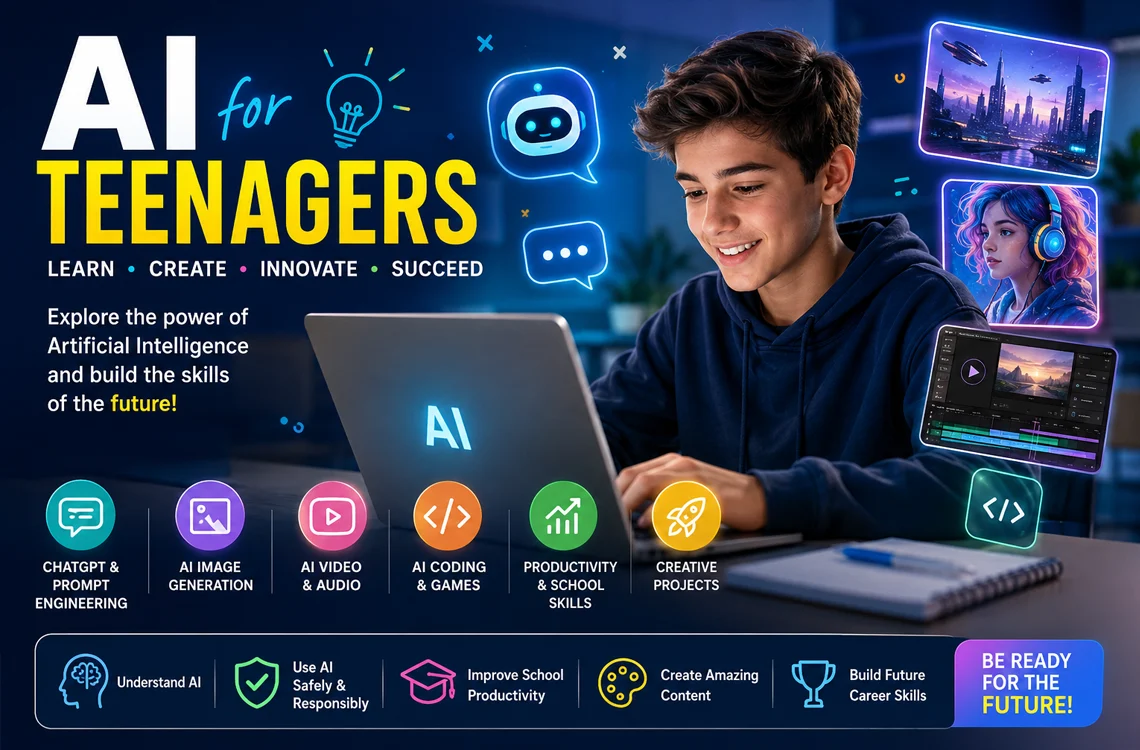
AI for Teenagers
Learn AI, creativity, productivity, and future digital skills. This hands-on course introduces teenagers to Artificial Intelligence through practical projects using ChatGPT, prompt engineering, AI image generation, AI video tools, presentations, productivity workflows, and creative AI projects.
Duration: 16 hours
Teaching Methodology: Hands on
Course Schedule: Schedule
Fees: $300
Course Mode: Blended – Face-to-face or online via Zoom
 |
 |
 |
 |
OVERVIEW
This hands-on course introduces teenagers to the exciting world of Artificial Intelligence through practical creative projects, productivity tools, image generation, video creation, prompt engineering, and school productivity. Students learn how to use modern AI platforms responsibly and effectively for school, creativity, communication, content creation, presentations, and future career skills. The course combines technology, creativity, problem-solving, and digital innovation in an engaging project-based learning environment.
LEARNING OUTCOMES
By the end of this course, students will be able to understand the fundamentals of Artificial Intelligence, use AI tools safely and responsibly, write effective prompts, generate images and creative content with AI, improve school productivity using AI assistants, create AI-enhanced videos and presentations, explore AI video and presentation workflows, and develop creative projects using modern AI technologies.
AI TOOLS USED IN THIS COURSE
Students explore modern AI tools used for creativity, image generation, video editing, school productivity, presentations, storytelling, social media content, and future digital skills.
AI Tools
AI Assistants & Chatbots
AI assistant for writing, brainstorming, homework help, storytelling, summaries, and creative ideas.
AI assistant integrated with Microsoft tools for writing, presentations, and productivity.
AI Image Generation
Beginner-friendly AI design tool for posters, social media graphics, thumbnails, and presentations.
AI Video & Audio Tools
AI-powered video editing tool for subtitles, reels, short videos, and social media content.
AUDIENCE
Teenagers between 13 and 17 years old who are interested in technology, creativity, content creation, digital skills, coding, design, social media, innovation, and future AI technologies.
PREREQUISITES
Basic computer skills are recommended. No programming or previous AI experience is required.
AI TOOLS USED IN THIS COURSE
ChatGPT, Google Gemini, Microsoft Copilot, Canva AI, Adobe Firefly, Leonardo AI, CapCut AI, Runway ML, ElevenLabs, and other modern AI productivity and creative tools.
LEARNING OUTCOMES
After completing this course, participants will be able to:
- Understand AI fundamentals and responsible AI use.
- Use ChatGPT, Gemini, Copilot and creative AI tools safely and productively.
- Create AI-assisted presentations, images, short videos and creative projects.
- Use AI for brainstorming, study support, organization and school productivity.
- Recognize misinformation, privacy risks and ethical AI practices.
- Build a beginner AI portfolio project.
RECOMMENDED LEARNING PATH
For a stronger professional workflow, we recommend the following learning path:
Frequently Asked Questions
What will students learn in the AI for Teenagers course?
Students will learn AI fundamentals, ChatGPT, prompt engineering, responsible AI use, AI image generation, AI video and audio tools, productivity workflows, presentations, AI image and video projects, creative projects, and future digital skills.
Who should take this course?
This course is designed for teenagers aged 13 to 17 who are interested in technology, creativity, content creation, design, school productivity, digital skills, and future AI careers.
Do students need previous AI experience?
No previous AI experience is required. Basic computer skills are enough to start.
Is this course safe for teenagers?
Yes. The course includes responsible AI use, online safety, misinformation awareness, ethical content creation, privacy, and proper academic use of AI tools.
Is the course available online?
Yes, the course can be attended face-to-face at ETC or online via Zoom in a blended format.
How long is the course?
The course duration is 16 hours of hands-on training.
Which AI tools are used in the course?
The course introduces ChatGPT, Google Gemini, Microsoft Copilot, Canva AI, Adobe Firefly, Leonardo AI, CapCut AI, Runway ML, ElevenLabs, and other modern AI productivity and creative tools.
Will students learn programming?
This Level 1 course focuses mainly on practical AI use, creativity, productivity, image generation, video creation, and presentations. Programming is reserved for more advanced AI courses.
Can AI help students with schoolwork?
Yes. Students learn how to use AI for brainstorming, organization, study notes, revision, language learning, presentations, and research support while following responsible academic practices.
What projects will students create?
Students create practical projects such as an AI poster, AI-generated social media campaign, AI presentation, short AI-edited video, simple quiz or game, creative story concept, and a final AI portfolio project.
Do students need powerful computers?
No powerful computer is required for the beginner level. Most activities use web-based AI platforms and standard computer lab tools.
Do you provide certificates?
Yes, ETC issues a certificate upon successful completion of the course. ETC is a licensed school by the ministry of education.
Can I try the first session before registering?
Yes, you can attend the first session as a free trial before officially registering.
Can I pay in installments?
Yes, installment payment options are available.
Do you offer onsite training for schools?
Yes, ETC offers onsite AI training for schools and educational institutions upon request.
COURSE CONTENTS
AI for Teenagers - 16-Hour Lesson Plan
Lesson 1 - What is Artificial Intelligence?
- What is AI?
- AI in everyday life
- AI vs robots
- Benefits and limitations of AI
- Fake AI content
- Responsible AI use
- AI spotting challenge and fake-or-real activity
Lesson 2 - ChatGPT and AI Assistants
- Introduction to ChatGPT and AI assistants
- What is a prompt?
- Better prompts produce better results
- AI for creativity and school support
- Brainstorming ideas with AI
- Improving AI responses through iteration
- Prompt competition and AI storytelling activity
AI Creativity and Content Generation
Lesson 3 - AI Image Generation
- Introduction to AI image tools
- Creating images from text
- Writing image prompts
- Styles and creative visual directions
- Character and concept generation
- AI art challenge
- Character design activity
Lesson 4 - Posters and Social Media Graphics with AI
- AI poster creation
- Social media graphics
- YouTube thumbnails
- Branding visuals
- Visual storytelling
- Poster competition
- Movie poster mini project
Lesson 5 - AI Video Editing and Reels
- AI video editing basics
- Automatic subtitles
- AI effects and enhancements
- Short-form video content
- Reels and TikTok-style videos
- Creating a short reel
- Adding AI captions
Lesson 6 - AI Voice Generation and Storytelling
- AI voice generation
- Voiceovers and narration
- Storytelling with AI
- Sound effects and creative narration
- Writing short scripts with AI
- AI voice challenge
- Story narration activity
AI Productivity and Final Project
Lesson 7 - AI for School Productivity
- AI summaries and study notes
- Research assistance
- Presentation preparation
- AI for organization and planning
- AI for language learning
- Responsible academic AI use
- Study guide and AI presentation challenge
Lesson 8 - AI Creative Project
- Planning a creative AI project
- Creating AI-generated visuals
- Building a simple AI social media concept
- Developing a creative brand idea
- Combining text, images, and video
- Team collaboration
- Project development and refinement
Lesson 9 - Final AI Presentation
- Final project completion
- Presentation preparation
- Portfolio-style showcase
- Explaining prompts and creative process
- Communication and presentation skills
- Student project presentations
- Course review and next learning paths
Final Student Deliverables
- AI-generated poster or graphic
- Short AI-edited video or reel
- AI-assisted presentation
- Creative project concept
- Prompt examples and workflow notes
- Final class presentation
- ETC certificate upon completion
Related AI Courses
This page is part of ETC's AI training department in Lebanon. Explore related AI courses: