
Rendering with AI - Professional Visualization Course
Learn how to convert sketches, plans, and 3D screenshots into stunning photorealistic and cinematic AI renderings using the latest AI models and visualization tools.
Duration: 16 Hours
Teaching Methodology: Hands-on
Course Schedule: View Schedule
Fees $300
 |
 |
 |
 |
OVERVIEW
Welcome to a course designed for the new era of intelligent architecture and product visualization. You will learn how to transform pencil sketches into photorealistic 3D images, convert 2D plans into artistic renderings, and upgrade CAD screenshots from AutoCAD, 3ds Max, Revit, Rhino, and SketchUp into cinematic visuals.
You will master modern AI tools, advanced prompts, reference-image workflows, corrections, and follow-up techniques to get the exact look you want: materials, lighting, environments, and composition.
You will also explore intelligent workflows that combine ChatGPT and image-based models to accelerate concept creation, improve presentations, and help you produce studio-quality visuals in minutes.
By the end of this course, you will generate photorealistic images, animations, presentation boards, and concepts as fast as you can describe them.
AI TOOLS USED IN THIS COURSE
Click below to explore the main AI tools used in this course, with official links and short practical descriptions.
AI Tools
AI Assistants & Prompt Development
Used for prompt writing, design descriptions, concept development, material ideas, lighting direction, and workflow planning.
Used for analyzing visual ideas, improving prompts, studying references, and supporting multimodal design workflows.
Used for advanced image-based prompting, model testing, reference-image workflows, and experimental AI visualization tasks.
AI Rendering & Visualization
AI visualization platform for sketch-to-render, image enhancement, interior design concepts, and architectural rendering workflows.
AI image-generation tool used for cinematic architectural concepts, design moods, artistic visualization, and presentation imagery.
Creative AI tool for generating, editing, extending, and refining visual content in design-friendly workflows.
Used for presentation boards, quick design layouts, visual storytelling, and organizing AI-generated images into client-ready graphics.
Image Enhancement & Editing
Useful for AI-assisted image creation, background generation, design assets, and quick visual resources.
Useful for cleanup, background removal, relighting, upscaling, and improving AI-generated or source images.
AI Video & Animation
AI video platform for generating motion, animating scenes, creating short cinematic clips, and experimenting with visual storytelling.
AI video-generation tool for turning images or prompts into motion clips, animations, and cinematic previews.
AI filmmaking and video experimentation tool for creating visual scenes, story-based motion, and concept previews.
Download Exercise Files
Download the first set of hands-on exercise files used throughout the course.
Download the second set of hands-on exercise files used throughout the course.
IMAGE GALLERY


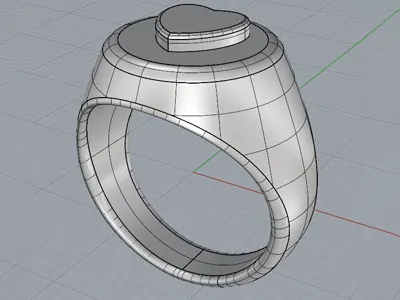



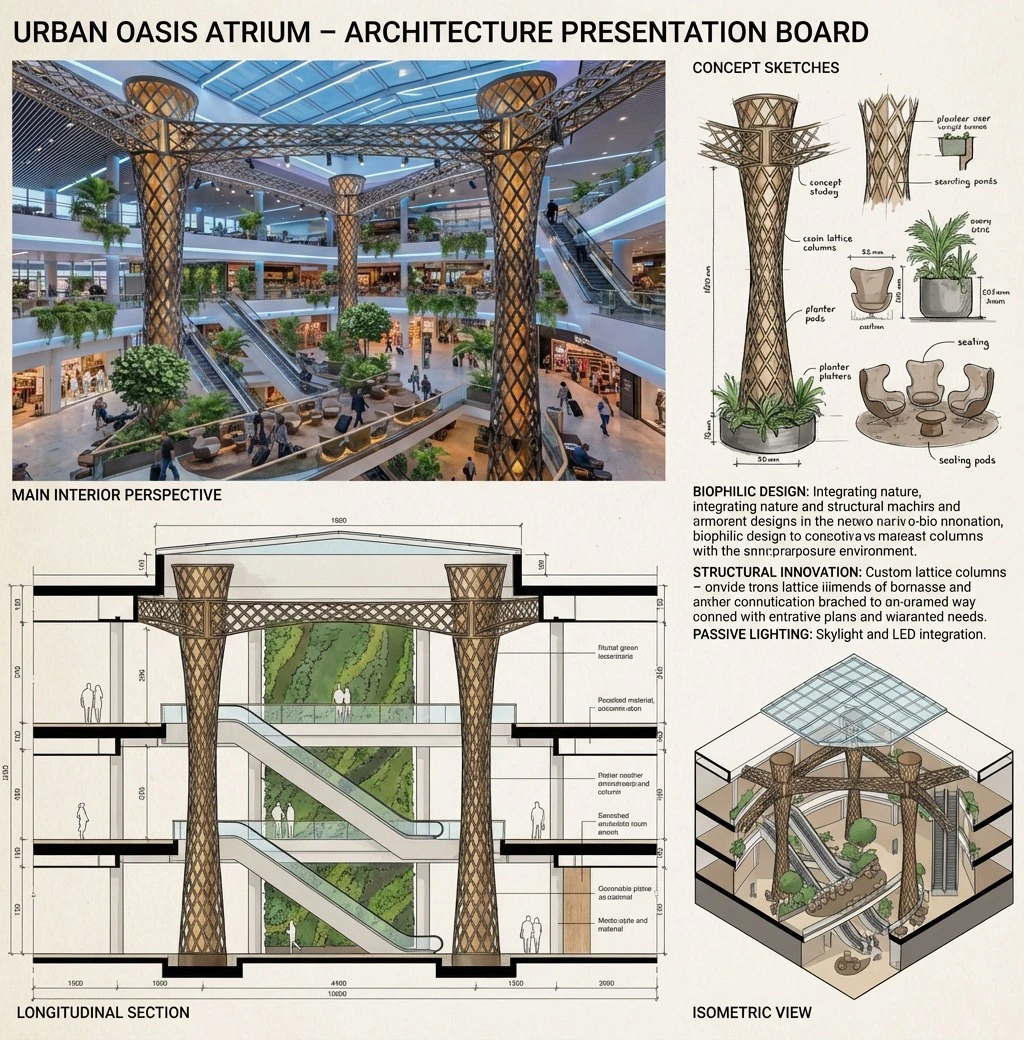
COURSE OBJECTIVES
- Convert hand sketches, CAD plans, and 3D screenshots into photorealistic AI-generated renderings.
- Enhance materials, lighting, shadows, reflections, and environments using advanced AI tools.
- Create cinematic stills and animation sequences using reference images and AI-driven motion tools.
- Master advanced prompt engineering techniques to achieve consistent, controllable visual results.
- Apply iterative workflows using follow-up prompts and AI correction tools for precision refinement.
- Produce rapid concept visualizations for effective client presentations and design approvals.
- Integrate AI rendering seamlessly into AutoCAD, Revit, 3ds Max, Rhino, and SketchUp professional workflows.
- Generate populated architectural scenes and AI-assisted animations for storytelling and marketing.
AUDIENCE
Architects, interior designers, engineers, decorators, landscape designers, CGI artists, and students in architecture or design.
Prerequisite: Adobe Photoshop
We recommend basic Adobe Photoshop or completing the Adobe Photoshop course to ensure you have the essential image editing and compositing skills needed for AI rendering workflows.
LEARNING OUTCOMES
After completing this course, participants will be able to:
- Convert hand sketches, CAD screenshots, and design references into AI renderings.
- Create sketch-to-render and plan-to-render workflows for architecture and interior design.
- Use prompt engineering to control style, materials, lighting, mood, and camera direction.
- Improve, correct, and enhance AI-generated architectural images.
- Use reference images to guide AI visualization results more accurately.
- Prepare fast visual concepts for client presentations, competitions, and design studies.
RECOMMENDED LEARNING PATH
For a stronger visualization workflow, we recommend this path:
Certifications & Accreditations
ETC Expertise Training Center is an Autodesk Authorized Training Center (ATC) and a licensed educational institution in Lebanon. Participants receive an international Autodesk Certificate of Completion upon successfully completing this program.
Students who meet the requirements outlined in ETC's certification roadmap may also qualify for ETC certificates attested by the Lebanese Ministry of Education, providing both internationally recognized training credentials and locally attested professional certification.
Related AI Courses
This course is part of ETC's AI training department in Lebanon. You can also explore:
- All AI Courses
- D5 Render Course
- AI for Image Creators
- AI for Social Media Production
- AI for Business Professionals
- Revit + AI Course
- AutoCAD + AI Course
Frequently Asked Questions
Do I need experience with rendering?
No. Modern AI tools handle the rendering process for you. Basic computer skills are enough, and you can even work from hand sketches without using AutoCAD, 3ds Max, or Revit.
Which AI tools will I use?
Gemini, ChatGPT, Nano Banana Pro, PromeAI, Midjourney, and more.
Can AI work with my existing CAD drawings?
Yes. You will learn how to render from AutoCAD, Revit, SketchUp, and 3ds Max screenshots.
Do I need to bring my own laptop?
Preferably yes. Many AI tools require personal subscriptions or login accounts, so having your laptop ensures full access. You may still attend without one if you follow along.
Do you provide a certificate for this course?
ETC is an Autodesk Authorized Training Center (ATC), and participants receive an international Autodesk Certificate of Completion upon successfully completing this program. Students who meet the requirements in ETC's certification roadmap may also qualify for an ETC certificate attested by the Lebanese Ministry of Education.