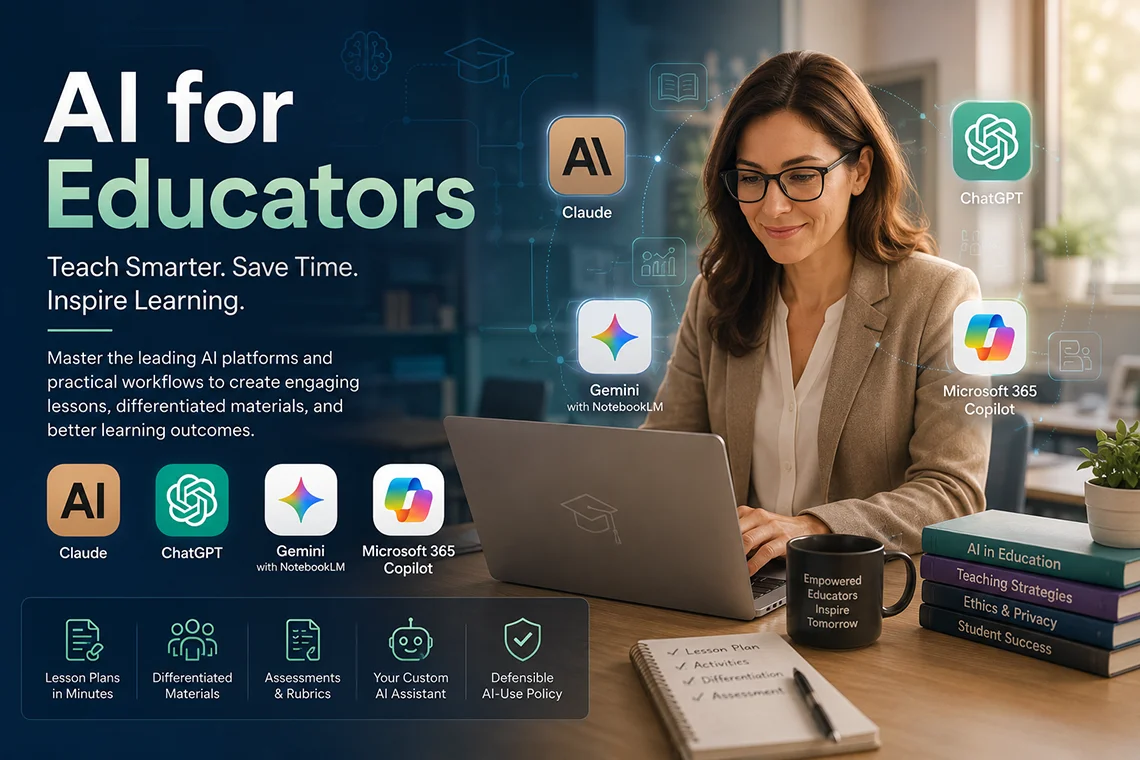
AI for Educators
Master the four AI platforms that are reshaping teaching. This hands-on course teaches Claude, ChatGPT, Google Gemini with NotebookLM, and Microsoft 365 Copilot in depth, through a single transferable framework that keeps working when the next model launches. Instead of demoing many tools and using none of them, you build real teaching materials from your own syllabus and leave with a working custom AI teaching assistant.
Duration: 16 hours (8 sessions, 2 hours each)
Teaching Methodology: Hands on
Course Schedule: Schedule
Fees: $350
Course Mode: Blended - Face-to-face or online via Zoom
 |
 |
 |
 |
OVERVIEW
Most AI training for educators demos fifteen tools and leaves participants using none of them. This course goes deep on four platforms instead - Claude, ChatGPT, Gemini with NotebookLM, and Microsoft 365 Copilot - through a single transferable framework for choosing the right tool for each teaching task. Every hands-on exercise runs on free or institution-provided accounts, so no paid subscription is required to complete the course.
LEARNING OUTCOMES
By the end of this program, participants will be able to choose the right AI platform for each teaching task instead of defaulting to one chat box, write structured prompts that produce usable teaching material on the first or second attempt, build an AI workspace grounded in their own syllabus, readings, and slides, produce a complete teaching unit including a lesson plan, differentiated materials, slide deck, assessment, and rubric, configure a custom AI teaching assistant for a course they teach, write a clear and defensible AI-use policy for their assignments, and recognize hallucination, bias, and privacy risks and know what to do about them.
AUDIENCE
School teachers, university faculty, instructional designers, and training professionals who want to use AI with confidence and judgment, not guesswork.
PREREQUISITES
No technical background required. The course is designed for beginner to intermediate level participants.
AI PLATFORMS USED IN THIS COURSE
Click below to explore the four AI platforms covered in this course, with official links and short practical descriptions.
AI Platforms
Conversational AI Assistants
Used for structured lesson planning, long-form curriculum work, differentiated materials, rubric design, and building a persistent AI teaching workspace grounded in your own course materials.
Used for prompt architecture practice, quiz and question bank generation, custom GPT-style teaching assistant configuration, and rapid iteration on teaching materials.
Research, Document Grounding & Office Integration
Used inside Google Docs, Slides, and Classroom for teaching material generation, feedback drafting, and workflow integration for institutions on the Google ecosystem.
Used to ground study guides, quizzes, flashcards, mind maps, and audio summaries directly in your own uploaded syllabus and readings.
Used inside Word, PowerPoint, and Teams for institutions running the Microsoft ecosystem, covering the same teaching workflows as the Google track.
WHAT YOU TAKE AWAY
- A personal prompt library built for your subject
- A live, populated AI course workspace
- One complete AI-assisted teaching unit
- A rubric and differentiated assessment set
- A written AI-use policy for your syllabus
- Your own working custom AI teaching assistant
- Certificate of completion
RECOMMENDED LEARNING PATH
For a stronger professional workflow, we recommend the following learning path:
Frequently Asked Questions
What will I learn in the AI for Educators course?
You will learn to choose the right AI platform for each teaching task, write structured prompts that produce usable teaching material, build an AI workspace grounded in your own syllabus and readings, produce a complete teaching unit with a lesson plan, differentiated materials, slide deck, assessment and rubric, configure your own custom AI teaching assistant, write a defensible AI-use policy, and recognize hallucination, bias, and privacy risks in AI tools.
Who should take this course?
This course is ideal for school teachers, university faculty, instructional designers, and training professionals who want to use AI with confidence and judgment. No technical background is required.
Do I need previous AI experience?
No previous AI experience is required. The course is designed for beginner to intermediate level participants.
Which AI platforms are used in the course?
The course covers four platforms in depth: Claude, ChatGPT, Google Gemini with NotebookLM, and Microsoft 365 Copilot, taught through a single transferable framework.
Do I need a paid subscription to complete the course?
No. Every hands-on exercise is designed to run on free or institution-provided accounts. No paid subscription is required.
Is the course available online?
Yes, the course can be attended face-to-face at ETC or online via Zoom in a blended format.
How long is the course?
The course runs across 8 sessions of 2 hours each, for a total of 16 contact hours.
Is the course practical?
Yes. Every session is hands-on. Participants build a personal prompt library, a live AI course workspace, a complete teaching unit, a rubric and differentiated assessment set, a written AI-use policy, and a working custom AI teaching assistant.
What will I take away from this course?
Participants leave with a personal prompt library built for their subject, a live populated AI course workspace, one complete AI-assisted teaching unit, a rubric and differentiated assessment set, a written AI-use policy for their syllabus, and their own working custom AI teaching assistant.
Do you provide certificates?
Yes, ETC issues a certificate of completion. ETC is a licensed school accredited by the Ministry of Education.
Can I try the first session before registering?
Yes, you can attend the first session as a free trial before officially registering.
Can I pay in installments?
Yes, installment payment options are available.
Do you offer this training for schools and institutions?
Yes, ETC offers onsite training for schools, universities, and training institutions upon request.
COURSE CONTENTS
Part I - Foundations and Prompt Craft
Module 1 - The Four-Platform Landscape
- How AI models work - why they hallucinate, go outdated, and inherit bias
- What Claude, ChatGPT, Gemini, and Copilot are each genuinely best at
- Running the same teaching prompt across all four platforms
- Comparing results and choosing the right tool for the task
Module 2 - Prompt Architecture and Verification
- A repeatable prompt structure built for educators
- Catching AI fabrications before your students do
- Building a personal library of eight reusable teaching prompts
- Verification habits that transfer across any platform
Part II - Working From Your Own Materials
Module 3 - Teaching From Your Own Materials
- Uploading your real syllabus and readings
- Generating study guides, quizzes, and flashcards
- Building mind maps and audio summaries
- Producing slide decks grounded in your own sources
Module 4 - Building a Permanent Course Workspace
- Setting up a persistent AI workspace for your course
- Teaching the AI your course, your style, and your standards
- Ending the cycle of re-explaining context every session
- Maintaining and updating the workspace over time
Part III - Integration and Assessment
Module 5 - Working Inside the Tools You Already Use
- AI inside Google Docs, Slides, and Classroom
- AI inside Word, PowerPoint, and Teams
- Two parallel tracks - follow whichever ecosystem your institution runs
- Fitting AI into your existing daily workflow
Module 6 - Assessment, Differentiation and Feedback
- Building rubrics directly from learning outcomes
- Generating question banks
- Adapting materials to different reading levels
- Grading AI-assisted work: citation, disclosure, and integrity in assessment
Part IV - Integrity, Policy and Capstone
Module 7 - Students, Integrity and Policy
- Comparing the four platforms as student tutor modes
- Why AI detection tools are unreliable
- Redesigning a vulnerable assignment
- Drafting your own AI-use policy
Module 8 - Build Your Own AI Teaching Assistant
- Configuring a working custom assistant for your own course
- Presenting your assistant to the group
- Leaving with a 30-day adoption plan
- Next steps for ongoing use
Related AI Courses
This page is part of ETC's AI training department in Lebanon. Explore related AI courses: