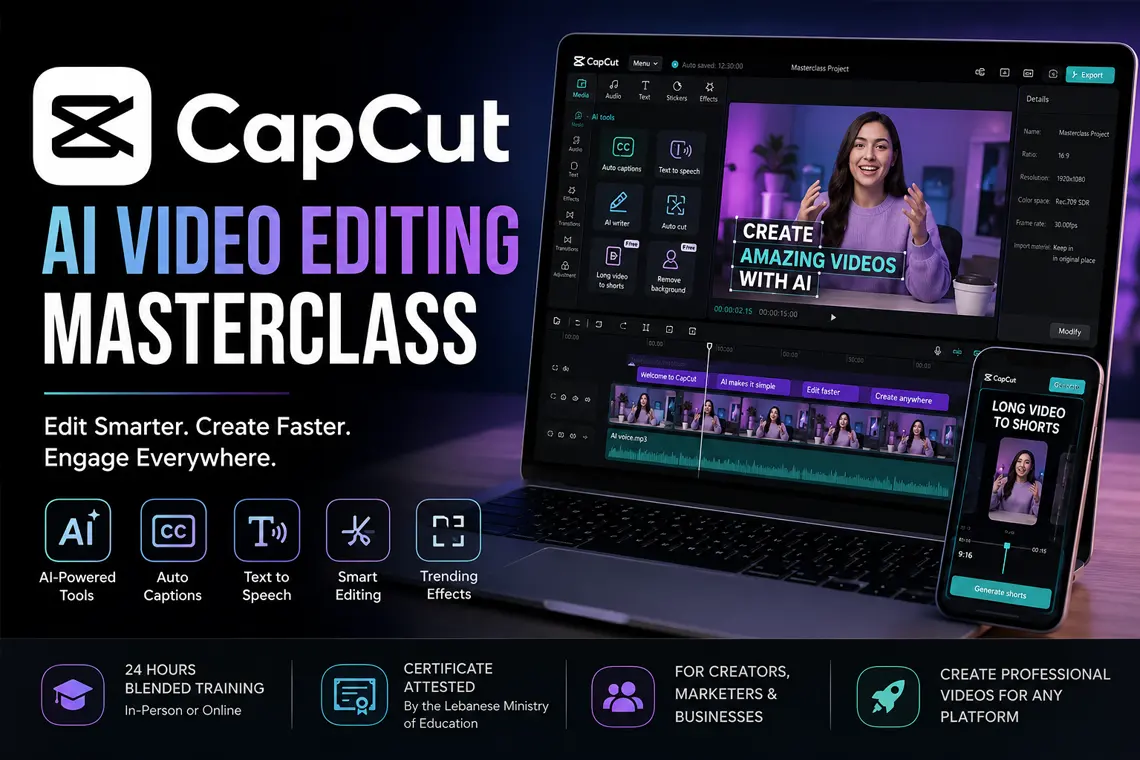
CapCut AI Video Editing Masterclass in Lebanon
Learn CapCut AI Video Editing at ETC Lebanon. Master fast, practical video editing for TikTok, Instagram Reels, YouTube Shorts, Facebook, ads, educational videos, business promotions, and personal branding using CapCut desktop, mobile, and online workflows.
This hands-on masterclass teaches students how to move from raw footage to a polished social media video using a clear professional workflow: importing clips, cutting scenes, arranging the timeline, adding music, cleaning audio, inserting titles, applying transitions, using templates, creating captions, adjusting color, and exporting for each platform. The course is designed for creators who need speed without losing quality.
The course also integrates modern AI-assisted video editing features in CapCut, including auto captions, text-to-speech, AI voice tools, background removal, script-to-video workflows, transcript-based editing, and long-video-to-short-video repurposing. Students work on practical projects such as reels, short ads, talking-head videos, product promos, educational clips, and a final content campaign.
Duration: 24 hours
Teaching Methodology: Hands on
Course Schedule: Schedule
Fees: $350
Course Mode: Blended - Face-to-face or online via Zoom
Certificate: Attested by the Lebanese Ministry of Education
ETC Expertise Training Center is a licensed educational institution in Lebanon. Students who meet the requirements outlined in ETC's certification roadmap may qualify for ETC certificates attested by the Lebanese Ministry of Education.
 |
 |
 |
 |
OVERVIEW
The CapCut AI Video Editing Masterclass is a practical course for anyone who wants to create professional short-form videos quickly. Participants learn the complete CapCut workflow from basic editing to advanced social media production, including timeline editing, captions, music, transitions, templates, color, export settings, and AI-powered automation.
LEARNING OUTCOMES
After completing this course, participants will be able to edit videos confidently in CapCut, create reels and shorts for social media, generate and style captions, use AI voices and text-to-speech, remove and replace backgrounds, create videos from scripts and templates, repurpose long videos into short clips, prepare platform-specific exports, and build a small portfolio of finished content.
AUDIENCE
Content creators, social media managers, marketers, small business owners, influencers, educators, photographers, videographers, trainers, students, and anyone who wants to create polished videos for social media, business, or personal branding.
PREREQUISITES
Basic computer or smartphone skills are enough. No previous video editing experience is required. We recommend the Adobe Photoshop course beforehand to strengthen your visual design and image editing skills, though it is not mandatory.
SOFTWARE AND TOOLS USED
CapCut Desktop, CapCut Mobile, CapCut Online, AI captions, text-to-speech, AI voice tools, background remover, templates, stock media, music, sound effects, and social media export workflows.
Download CapCut: Get the official CapCut application for desktop, mobile, or online use from the official website: https://www.capcut.com/
Frequently Asked Questions
What will I learn in the CapCut AI Video Editing Masterclass?
You will learn how to edit professional short-form and social media videos using CapCut, including timeline editing, trimming, transitions, captions, text animation, music, sound effects, color adjustment, templates, AI captions, text-to-speech, background removal, AI voice tools, and export settings.
Does this course include CapCut AI tools?
Yes. The course includes practical AI workflows such as auto captions, text-to-speech, AI voice tools, background removal, transcript-based editing, script-to-video, long-video-to-short-video workflows, and AI-assisted content creation.
Is this CapCut course suitable for beginners?
Yes. The course starts from the basics of CapCut and gradually moves into more advanced editing, social media production, and AI-powered workflows.
Is the CapCut training available online?
Yes, the course is offered in-person at ETC in Lebanon and online via Zoom.
Who should take this course?
This course is ideal for content creators, social media managers, marketers, small business owners, influencers, educators, photographers, videographers, and anyone who wants to create professional videos quickly.
How long is the course?
The course runs for 24 hours of hands-on training.
Do I need to bring my own laptop or phone?
ETC is fully equipped, but students are encouraged to bring their own laptop or smartphone if they want to practice on their personal CapCut setup.
Can I try the first session before registering?
Yes, you can attend the first session as a free trial before officially registering.
Can I pay the course fee in installments?
Yes, installment payment options are available.
Do you provide certificates?
Yes. ETC Expertise Training Center issues certificates upon successful completion. ETC is a licensed educational institution in Lebanon.
COURSE CONTENTS
Part I - CapCut Foundations
01 - Introduction to CapCut and AI Video Editing
- What CapCut is used for
- CapCut desktop, mobile, and online versions
- Understanding short-form video formats
- How AI is changing video editing
- Examples: Reels, Shorts, TikTok videos, ads, and tutorials
- Course projects and workflow overview
02 - Interface, Project Setup, and Media Organization
- Creating a new project
- Importing video, audio, and images
- Understanding the timeline
- Preview window and inspector panel
- Organizing assets and project folders
- Setting aspect ratio for each platform
03 - Essential Timeline Editing
- Trimming and splitting clips
- Ripple editing basics
- Moving, duplicating, and deleting clips
- Changing clip speed
- Freezing frames
- Building a clean first rough cut
04 - Aspect Ratios and Social Media Formats
- Vertical, square, and horizontal videos
- 9:16 for Reels, Shorts, and TikTok
- 1:1 and 4:5 for social posts
- 16:9 for YouTube and presentations
- Safe zones for text and captions
- Reframing clips for different platforms
Part II - Creative Editing and Storytelling
05 - Building Engaging Short Videos
- Hook, body, and call-to-action structure
- Editing for attention and retention
- Choosing the best opening shot
- Removing dead time
- Matching cuts to speech and music
- Creating a clear visual rhythm
06 - Text, Titles, and Motion Graphics
- Adding titles and text layers
- Text hierarchy and readability
- Animated text presets
- Lower thirds and labels
- Brand colors and fonts
- Creating title templates for repeated use
07 - Transitions, Effects, Filters, and Overlays
- When to use transitions
- Creating smooth visual flow
- Using overlays and blend modes
- Applying filters and visual effects
- Adding stickers and graphic elements
- Avoiding over-edited results
08 - Templates and Fast Content Production
- Using CapCut templates professionally
- Replacing media in templates
- Customizing text, music, and timing
- Adapting templates to brand identity
- Creating fast social media content
- Understanding template limitations
Part III - Audio, Captions, and AI Voice
09 - Audio Editing, Music, and Sound Effects
- Importing and trimming audio
- Adjusting volume and fade controls
- Cleaning voice recordings
- Adding background music
- Using sound effects for emphasis
- Balancing speech, music, and effects
10 - Auto Captions and Subtitle Styling
- Generating automatic captions
- Correcting caption mistakes
- Styling subtitles for readability
- Highlight captions and word emphasis
- Caption placement and safe zones
- Creating captions for silent viewing
11 - Text-to-Speech and AI Voice Tools
- Writing voiceover scripts
- Generating voiceovers from text
- Selecting suitable voice styles
- Syncing AI voice with visuals
- Using voice effects responsibly
- Creating narration for educational and marketing videos
12 - Transcript-Based Editing and Filler Word Cleanup
- Understanding transcript-based workflows
- Editing talking-head videos faster
- Removing pauses and weak sections
- Improving clarity and pacing
- Creating clean educational clips
- Preparing interview highlights
Part IV - CapCut AI Production Tools
13 - AI Background Removal and Green Screen
- Removing video backgrounds
- Replacing backgrounds with images or video
- Using chroma key controls
- Improving subject edges
- Creating product and presenter videos
- Exporting with clean backgrounds
14 - Script-to-Video and AI Video Generation
- Planning a video from a written prompt
- Writing short scripts for AI video workflows
- Generating draft video ideas
- Choosing visuals, voice, and music
- Refining AI-generated results manually
- Turning AI drafts into professional edits
15 - Long Video to Short Video Repurposing
- Selecting highlights from long footage
- Repurposing interviews and lessons
- Creating Shorts from YouTube videos
- Reframing horizontal footage vertically
- Adding captions and hooks
- Exporting a series of short clips
16 - AI Avatars, Stickers, Visual Assets, and Creative Add-ons
- Using AI-generated visual assets
- Adding stickers and animated elements
- Creating branded visual identity
- Using avatars for explainer videos
- Combining AI assets with recorded footage
- Maintaining consistency across a content series
Part V - Color, Branding, Export, and Projects
17 - Color Correction and Visual Style
- Basic brightness, contrast, and saturation
- Improving footage consistency
- Using filters carefully
- Creating warm, cinematic, clean, and commercial looks
- Matching footage from different devices
- Saving a consistent visual style
18 - Branding Videos for Business and Social Media
- Adding logos and brand elements
- Creating consistent intro and outro styles
- Designing lower thirds
- Using brand colors and typography
- Creating promotional videos
- Preparing videos for campaigns
19 - Export Settings and Publishing Workflow
- Choosing resolution and frame rate
- Exporting for TikTok, Instagram, Facebook, and YouTube
- Understanding file size and quality
- Checking captions before publishing
- Creating thumbnails and cover frames
- Preparing a delivery checklist
20 - Final Portfolio Project
- Planning a mini content campaign
- Creating one reel or short ad
- Creating one talking-head or educational clip
- Creating one product or service promotion
- Applying captions, music, branding, and AI tools
- Exporting final videos for portfolio presentation
Related AI Courses
This CapCut course is part of ETC's AI training department in Lebanon. Explore related AI and creative production courses:
- AI Courses Department
- AI for Image Creators
- AI for Social Media Production
- AI for Business Professionals
Related ETC Departments
CapCut connects naturally with videography, photography, digital marketing, and Adobe creative tools. Continue with related ETC departments to build a stronger content creation workflow: