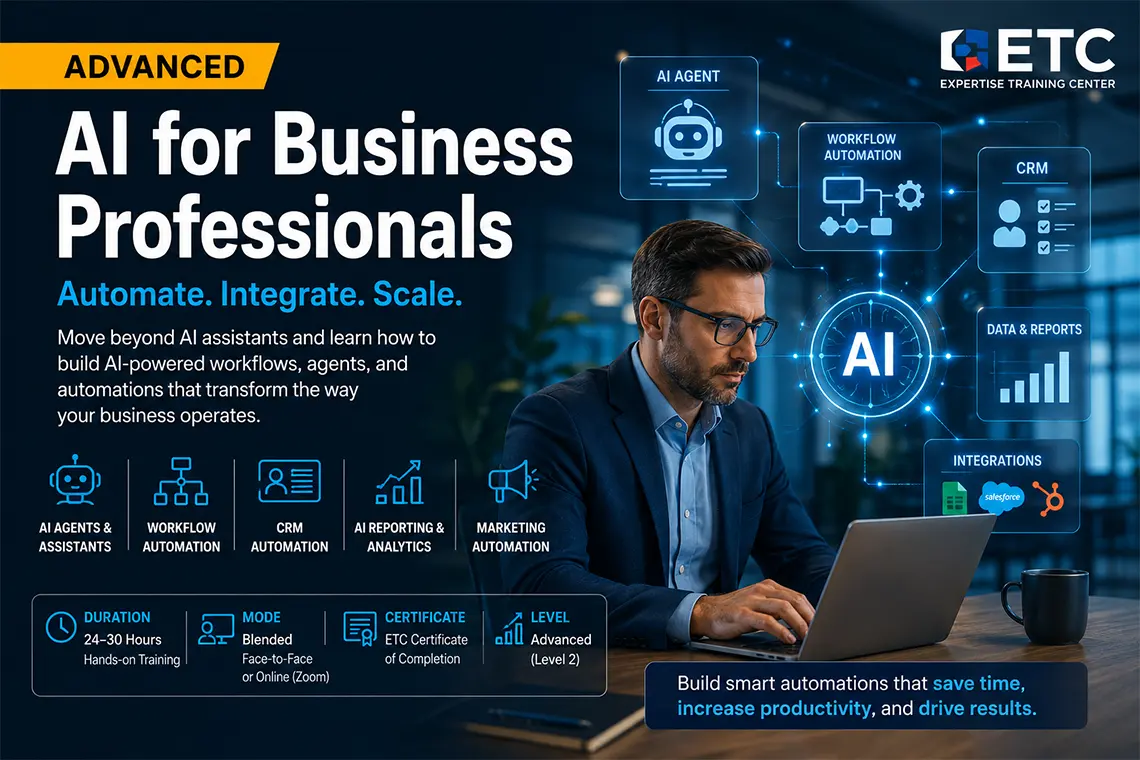
Advanced AI for Business Professionals
Move beyond basic AI prompting and learn how to design practical AI-powered business workflows. This advanced hands-on course teaches managers, business owners, department heads, and power users how to use AI agents, no-code automation, CRM workflows, reporting automation, marketing funnels, and internal knowledge assistants to improve business processes while keeping human review and control.
This is a productivity course for business professionals, not a programming or machine learning course. The goal is to help participants work faster, communicate better, and make better use of business information.
Duration: 30 hours (approx.)
Teaching Methodology: Hands on
Course Schedule: Schedule
Fees: $750
Course Mode: Blended – Face-to-face or online via Zoom
 |
 |
 |
 |
OVERVIEW
This advanced course is designed for professionals who already understand basic AI assistants and want to apply AI to real business processes. Instead of only asking AI to write emails, reports, or presentations, participants learn how to connect AI with business workflows such as lead management, CRM updates, customer support, marketing follow-up, reporting, HR documentation, procurement communication, and internal knowledge systems.
The course focuses on realistic automation: AI supports the workflow, drafts content, classifies information, summarizes data, and prepares actions, while people remain responsible for approval, quality control, data privacy, and final decisions.
POSITIONING
Level 1: AI for Business Professionals teaches how to use AI assistants for productivity.
Level 2: Advanced AI for Business Professionals teaches how to design AI-assisted workflows and business automations.
LEARNING OUTCOMES
By the end of this course, participants will be able to identify automation opportunities, design practical human-in-the-loop AI workflows, build simple AI agents, connect business tools using no-code or low-code automation platforms, automate parts of CRM and lead follow-up, create AI-assisted reporting workflows, design internal knowledge assistants, and evaluate automation risks related to privacy, accuracy, permissions, and business control.
AUDIENCE
This course is suitable for business owners, managers, department heads, operations managers, sales and marketing managers, HR managers, consultants, administrative leaders, and power users who want to implement AI more strategically inside daily business operations.
PREREQUISITES
Participants should have basic experience using AI assistants such as ChatGPT, Claude, Copilot, or Gemini. Programming is not required, but participants should be comfortable with email, spreadsheets, cloud files, forms, and common business applications.
WHAT THIS COURSE IS NOT
This is not a machine learning engineering course, Python programming course, or enterprise software development course. It does not teach students to train AI models from scratch. The focus is practical business automation using available AI tools, no-code platforms, and structured workflow thinking.
AI AND AUTOMATION TOOLS COVERED
The course introduces a practical selection of tools according to availability and business need, including ChatGPT, Claude, Microsoft Copilot, Google Gemini, Copilot Studio, Zapier, Make, n8n, Google Forms, Microsoft Forms, Excel, Google Sheets, HubSpot, Zoho CRM, Mailchimp, Brevo, Notion, and other relevant business platforms.
REALISTIC EXPECTATIONS
Participants will not leave the course with a fully automated company. They will leave with a clear understanding of how to design, prototype, and evaluate AI-assisted workflows that can reduce repetitive work, improve response time, standardize communication, and support better reporting. More complex implementations may require additional customization, integration work, IT support, or company-specific data access.
BUSINESS AUTOMATIONS YOU WILL PRACTICE
- Website lead capture followed by AI classification and sales follow-up draft.
- CRM update workflow with manager notification and next-step suggestion.
- Weekly sales, operations, or finance report generated from spreadsheet data.
- Customer support reply assistant using approved tone and company knowledge.
- Marketing content workflow for posts, emails, campaign briefs, and approvals.
- HR document assistant for job descriptions, onboarding, and internal policies.
- Procurement workflow for supplier comparison, RFQ drafts, and summary reports.
- Internal knowledge assistant for company procedures and frequently asked questions.
RECOMMENDED LEARNING PATH
For best results, we recommend the following sequence:
- AI for Business Professionals
- Advanced AI for Business Professionals
- Python for Automation for users who want deeper customization
Frequently Asked Questions
What is the Advanced AI for Business Professionals course about?
This course teaches business professionals how to move beyond basic prompting and build practical AI-assisted workflows using AI agents, automation platforms, CRM workflows, reporting automation, marketing automation, and internal business assistants.
Who should take this course?
This course is ideal for business owners, managers, department heads, operations managers, consultants, sales and marketing managers, HR managers, and power users who want to automate repetitive business processes with AI.
Do I need programming experience?
No programming experience is required. The course focuses mainly on no-code and low-code tools. However, students should already be comfortable with business software, spreadsheets, email, cloud files, and basic AI prompting.
Is this different from AI for Business Professionals?
Yes. AI for Business Professionals focuses on productivity, writing, presentations, analysis, and daily AI use. This advanced course focuses on AI agents, workflow automation, CRM processes, reporting automation, marketing funnels, and department-level systems.
Will I build real automations?
Yes. Students practice realistic automations such as lead follow-up workflows, CRM updates, weekly report generation, customer support response systems, marketing content workflows, and internal knowledge assistants.
Will this course fully automate my company?
No. The course teaches practical prototypes and realistic business workflows. Full company automation may require custom integration, IT support, data access, software subscriptions, testing, and management approval.
Is the course available online?
Yes, the course can be attended face-to-face at ETC or online via Zoom in a blended format.
How long is the course?
The recommended duration is approximately 30 hours of hands-on practical training. The duration may vary depending on the selected automation projects and business cases.
Do you provide certificates?
Yes, ETC offers certificates attested by the Ministry of Education upon successful completion of the course. For more information, visit our certification roadmap.
Do you offer onsite training for companies?
Yes, ETC offers onsite training at client locations throughout Lebanon and internationally upon request.
COURSE CONTENTS
Part 1 - From AI Assistant to AI Workflow
- Lesson 1 — Advanced AI Workflow Thinking
- AI assistants vs AI agents vs business automation
- Identifying repetitive work suitable for AI support
- Designing human-in-the-loop workflows
- Mapping inputs, decisions, approvals, outputs, and risks
- Choosing what should be automated and what should remain manual
- Lesson 2 — AI Agents for Business Users
- What an AI agent can and cannot do
- Using instructions, files, tools, memory, and business context
- Creating simple agents for research, reporting, and internal support
- Designing guardrails, approval steps, and escalation rules
- Testing agent output for accuracy and business reliability
- Lesson 3 — No-Code AI Automation Platforms
- Introduction to Zapier, Make, and n8n concepts
- Triggers, actions, filters, routers, and conditions
- Connecting forms, email, spreadsheets, CRM, and AI tools
- Building a simple automation from form submission to email draft
- Monitoring errors, logs, retries, and failed automations
- Lesson 4 — CRM and Lead Management Automation
- How AI supports sales pipelines and customer follow-up
- Capturing leads from forms, email, or landing pages
- AI classification: priority, need, product interest, and next action
- Creating CRM entries and follow-up email drafts
- Manager notifications and sales handoff workflows
- Lesson 5 — AI-Powered Reporting Automation
- Preparing spreadsheet data for AI-assisted analysis
- Generating weekly sales, finance, or operations summaries
- Turning data into executive narratives and action items
- Creating recurring report workflows with review steps
- Limitations of AI reporting and the need for source verification
Part 2 - Department Automation Projects
- AI for Marketing Automation
- Building content workflows for posts, emails, and campaign briefs
- Creating approval-based marketing processes
- Repurposing one campaign idea into multiple channels
- Generating campaign performance summaries
- AI for Sales and Business Development Automation
- Automated lead intake and qualification support
- AI-assisted follow-up sequences and proposal drafts
- Meeting preparation and sales call summary workflows
- CRM update and manager alert automations
- AI for Customer Support Automation
- Creating response assistants from approved company knowledge
- Classifying support tickets by urgency and topic
- Drafting replies while keeping human approval
- Building FAQ and troubleshooting workflows
- AI for HR and Internal Administration
- Automating job description and onboarding document drafts
- Creating internal policy assistants
- Preparing employee communication templates
- Organizing HR knowledge into searchable AI-assisted systems
- AI for Procurement and Operations
- Supplier email and RFQ draft workflows
- Vendor proposal summarization and comparison
- Inventory and operations report summaries
- Approval workflows and exception alerts
- Final Project — Build an AI Business Assistant
- Choose one department workflow
- Map the process and define the automation goal
- Build a prototype using AI and automation tools
- Add approval, validation, and error-handling steps
- Present the workflow, business value, and limitations
Related AI Courses
This page is part of ETC's AI training department in Lebanon. Explore related AI courses: