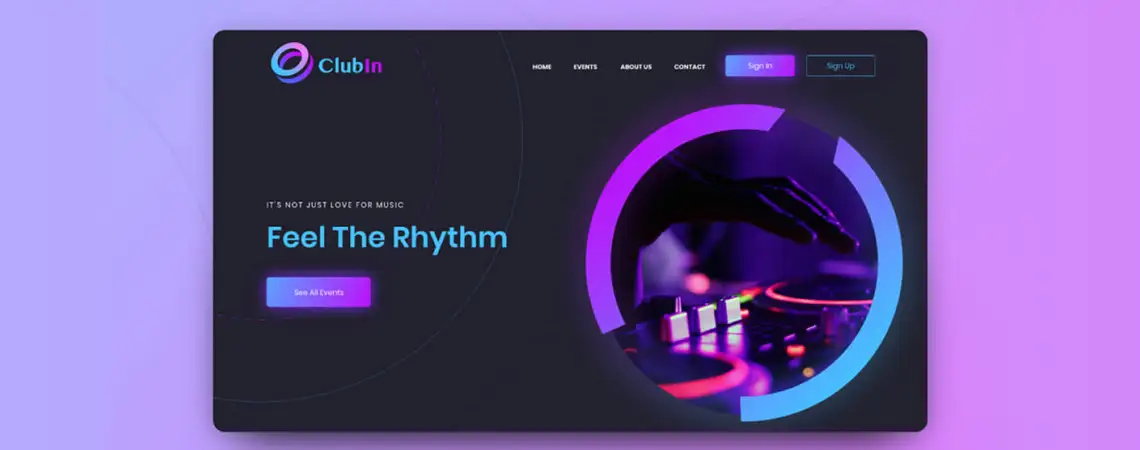
Adobe XD/Figma Web Design - Training Course
Learn to design professional user interfaces (UI) and user experiences (UX) for websites and mobile apps using Adobe XD and Figma at ETC.
Duration: 30 hours
Teaching Methodology: Hands-on
Course Schedule: Schedule
Fees: $450
Course Mode: Blended - Face-to-face or online via Zoom
 |
 |
 |
 |
OVERVIEW
This Adobe XD course teaches you to create applications or web designs with the following characteristics:
UI (User interface design) is the building process of an application, website, or other interactive media. UX (User experience design) is the user journey in interacting with this product. UI and UX designs are closely related professions that often work hand in hand. Adobe XD is the best tool for prototyping and designing user experience and interaction applications.
Figma is a tool that allows designers and developers to work in the cloud to collaborate to develop fully functional applications. You will also learn about Figma.
- Organized, detailed, and planned research
- Usable, enjoyable, and accessible interface
AUDIENCE
Anyone interested in learning how to build an application based on user research and basic design principles.
PREREQUISITES
None
Certifications & Accreditations
ETC Expertise Training Center is a licensed educational institution in Lebanon. Participants receive an ETC certificate of completion upon successfully finishing their course.
Students who meet the requirements outlined in ETC's certification roadmap may also qualify for ETC certificates attested by the Lebanese Ministry of Education, providing locally recognized, attested professional certification.
Frequently Asked Questions
Do I need coding skills to join the Adobe XD/Figma course?
No, you do not need coding experience. Adobe XD and Figma are design tools focused on UI/UX design without writing code.
Will I learn both web and mobile app design?
Yes, the course covers creating interfaces for websites and mobile applications, focusing on user experience and interaction.
Can I attend the Adobe XD/Figma course online?
Yes, the Adobe XD/Figma course is available face-to-face at ETC Lebanon or live online via Zoom.
Do you provide a certificate for this course?
Yes. Participants receive an ETC certificate of completion. Students who meet the requirements in ETC's certification roadmap may also qualify for an ETC certificate attested by the Lebanese Ministry of Education.
Related Web Design Courses
This course is part of ETC's Web Design training program in Lebanon. Explore the other courses in the department:




COURSE CONTENTS
01 - Definitions
- Definition of User interface and user experience
- Definition of UX Writing
- Key principles of UX design
- Visual aids for design inspiration
- Summary of course
02 - Design Outline of UX UI
- User research: The essential guide to designing
- UX UI case study: The complete design process
- Visual aids for design inspiration
03 - Color Theory
- Importance of color theory
- Warm and cool colors
- Primary and secondary colors
- RGB, CMYK
- Hue, shade, tint, tone
- Complementary colors
- Triadic colors
- Analogous colors
- Color meanings
- Visual aid for better understanding of color theory
04 - Introduction to Adobe XD
- An overview of the main features
- Creating shapes and lines
- Using pen feature
- Texts
- Align
- Repeating grids
05 - Introduction to Prototypes and Animations
- Prototype section
- Sharing Adobe XD files
- Animating screens
- Using plugins
- Downloading fonts
06 - Different Animations
- Animating scrolling effect
- Animating scroll bar
- Animating transition effects
- Hover button effects animation
07 - Navigations
- Navbar icons
- Navigating through icons
- Prototyping icons
08 - Practicing Adobe XD
- Further understanding of Adobe XD features: In class designing
09 - Assignment: Creating a Brief Project
- Testing out features and creating artboards with attractive designs
10 - Introduction to Figma
- Moving files from Adobe XD to Figma
- Overview of main features
11 - Animation and Plugins
- Sharing Figma files
- Animating screens
- Using plugins
- Downloading fonts
- Animating scrolling effect
- Animating transition effects
- Previewing phone mockup
12 - Assignment: Practicing Figma
- Testing out features
13 - Design Brief
- Asking clients the right questions before designing
- A sample of questions to ask
- Getting started with wireframes based on acquired information
14 - Choosing Topic for Project
- Preparing 2 to 3 problems to solve using UX UI
- Introducing problem and providing a brief solution for each
15 - UX Design Process
- Draft of "sub questions" to ask for the implementation of the project
- Definition of primary (Interviews, surveys) research, and secondary research
- Introduction to Miro for researching and brainstorming
16 - Comparing Competitor Applications
- Choosing a competitor application for project
- Defining the good and bad features of the different apps
- Listing the information on Miro
- Introduction to Google Forms
17 - Empathizing
- Method conduction with survey
- Collecting data from survey
- Listing the user problems
18 - Defining
- User persona
- User journey
- Storyboard
19 - Ideating
- Working with Miro to organize collected data and create solutions
- Creating flowchart
- Visual aid for flowcharts
20 - Designing Wireframes
- Creating wireframes for project based on the flowchart
- Visual aid for wireframes
- Choosing color palette, typography, icons, images, etc.
21 - Feedback on Wireframes
- Updating wireframes with more details and features
- Applying designs on Adobe XD/ Figma
- Getting feedback from real users
- Draft of a "list of questions to ask users for feedback"
22 - Design Process After Research
- Feedback on final design
- Updating project based on user feedback
23 - Design Process After Feedback
- Finalizing designs after feedback
24 - Project Progress- Update Features
- Working on organizing the features in the application
- More visual support for design inspiration
25 - Project Progress- Animation
- Using Adobe XD/ Figma to create prototypes and animations for wireframes
26 - Project Progress: Testing
- Adding more animations for screens
- Feedback on project
- Sharing and testing application/ website on real users using google forms
- List of questions to ask users for feedback
27 - Project Progress: Updating Design
- Updating project based on user feedback
28 - Mockups for Adobe XD screens
- Exporting screens on Adobe XD/ Figma
- Using the right mockups to showcase work
- Downloading mockups
- Quick mockup tutorial on Photoshop
29 - Portfolio Tips for UX UI
- Examples of good portfolios: First impression, context, consistency, etc.
- Design portfolio review
- Adding value and context to the project
- Visual aid on good portfolio pieces
30 - Final Review
- Presenting final portfolio piece with acquired tips from previous session
- Final feedback on designs