AutoCAD Professional Course in Lebanon
Duration: 20 hours
Teaching Methodology: Hands on
Course Schedule: Schedule
Fees: $350
Course Mode: Blended (Face-to-face or online via Zoom)
 |
 |
 |
 |
Course Description
AutoCAD Professional builds upon the skills learned in AutoCAD Essentials and focuses on advanced drafting, documentation, customization, standards management, and productivity workflows used in professional design offices.
Participants learn how to manage large projects, create dynamic blocks, work with attributes and data extraction, organize sheet sets, manage external references (Xrefs), enforce CAD standards, automate repetitive tasks, and customize AutoCAD for maximum efficiency.
The course is designed for professionals who want to improve drawing quality, reduce production time, and work more efficiently on complex architectural, engineering, and construction projects.
Why Learn AutoCAD Professional?
Professional design offices require more than basic drafting skills. This course teaches advanced workflows for managing large projects, enforcing CAD standards, creating reusable content, organizing drawing sets, and improving production efficiency. These skills are essential for CAD coordinators, BIM professionals, and advanced AutoCAD users working on real-world projects.
Recommended Learning Path
AutoCAD Essentials → AutoCAD Professional → AI for AutoCAD Users → AutoCAD Production Workshop → Construction Documentation with AutoCAD
Certifications & Accreditations
ETC Expertise Training Center is an Autodesk Authorized Training Center (ATC) and a licensed educational institution in Lebanon. Participants receive an international Autodesk Certificate of Completion upon successfully completing Autodesk-authorized training programs.
Students who meet the requirements outlined in ETC's certification roadmap may also qualify for ETC certificates attested by the Lebanese Ministry of Education, providing both internationally recognized training credentials and locally attested professional certification.
AUDIENCE
Architects, civil engineers, mechanical engineers, electrical engineers, interior designers, CAD technicians, BIM professionals, project coordinators, CAD managers, and construction professionals.
PREREQUISITES
Career Opportunities
- Senior CAD Technician
- CAD Coordinator
- CAD Manager
- CAD Automation Specialist
- Architectural Drafter
- Engineering Documentation Specialist
- Construction Documentation Specialist
- BIM Modeler
- BIM Coordinator
Frequently Asked Questions
Is this course suitable after AutoCAD Essentials?
Yes. AutoCAD Professional is designed for participants who have completed AutoCAD Essentials or already possess equivalent drafting knowledge.
What are Dynamic Blocks?
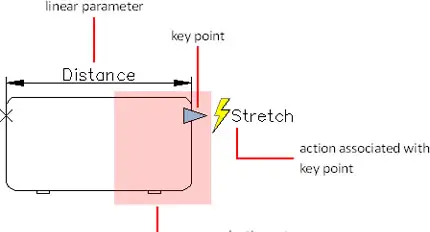
Dynamic Blocks are intelligent AutoCAD blocks that can be stretched, modified, and reused without creating multiple block variations.
Will I learn CAD standards?
Yes. Participants learn CAD standards, layer management, templates, plotting standards, and project organization techniques used in professional offices.
Does this course help with BIM workflows?
Yes. Advanced AutoCAD project organization, documentation, and standards management skills complement BIM and Revit workflows.
Is a certificate provided?
Yes. ETC Expertise Training Center is an Autodesk Authorized Training Center (ATC) and a licensed educational institution in Lebanon. Participants receive an international Autodesk Certificate of Completion for Autodesk-authorized training programs. Students who meet the requirements outlined in ETC's certification roadmap may also qualify for ETC certificates attested by the Lebanese Ministry of Education.
COURSE CONTENTS
01 - Creating Layouts
- Understanding model space and paper space
- Placing a title block
- Creating viewports
- Setting a viewport scale
- Controlling viewport display
- Placing annotations
- Changing the space of an object
- Printing
Outcome: Setup advanced documentation standards to accurately control scales across sheets.
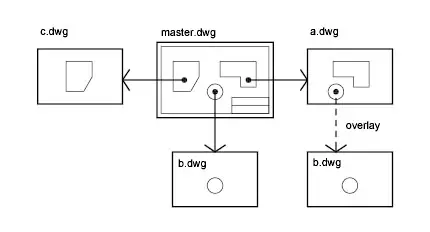
02 - External References (Xrefs)
- Attaching Xrefs
- Modifying Xrefs
- Managing Xrefs
- Attachment vs Overlay
- Relative Vs Full Path
Outcome: Organize heavy files seamlessly to allow multi-user collaboration inside complex structural masters.
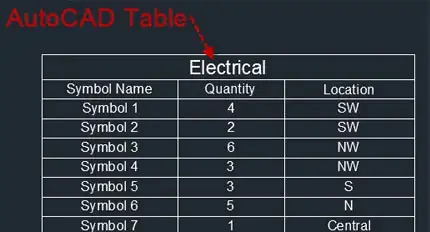
03 - Fields, Groups, Wipeouts, and Tables
- Fields, Single Line/Multiline Text
- Boundary, Area Fields
- Group, Group Selection, Group Edit
- Group Manager, Bounding Box
- Hatch Outer/Ignore, Text, Draw Order
- Wipeout, Frame options, Polyline
- Tables, Table Styles, Table Properties
- Tables by Insertion Point/Windows
- Add, delete, merge rows and columns
- Cell size, format, Autofill, Locking, Border
- Formulas, Tables from Excel
- Download Lesson 03
04 - Attributes
- Creating attributes ATTDEF
- Editing attributes ATTEDIT
- Inserting attributes with blocks
- The Block Attributes Manager BATMAN
- Controlling display ATTDISP
- Block Attributes Manager: Sync
- Editing a block REFEDIT
- Closing a block REFCLOSE
- The Home Ribbon Block tab
- Extracting object data using attributes and the data link manager
- Download Desk
Outcome: Embed dynamic descriptive data sets inside blocks for direct parsing and data link setups.
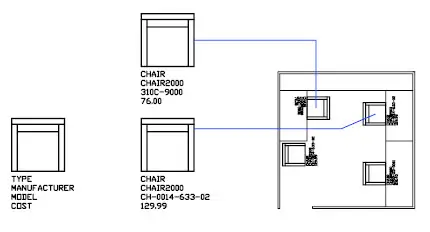
05 - Dynamic Blocks
- Dynamic table
- Dynamic window
- Dynamic door
- Creating blocks
- Testing blocks
- Attributes
- Parameters
- Actions
- Autoconstrain, Parametric: Geometric Constraints
- Parametric Dimensional Constrainsts
- The Parametric ribbon
- Download Table
- Download Single Door
- Download Window
- Download Door
Outcome: Create reusable intelligent components that reduce drafting time and improve drawing consistency.
06 - Data Management
- eTransmit
- Hyperlinks
- Using the Properties Palette to add hyperlinks
- CTRL click hyperlinked object to open the link
- Linking to PDF and Excel files
- Collaborate by sharing drawings
- Open and Save, Automatic save, Files location
- Backing up and recovering files
- Renaming Bak files
- Auditing
- Download Lesson06
07 - Sheet Sets & Project Organization
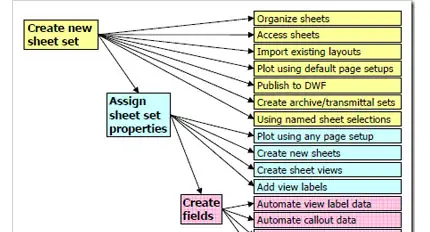
- Overview sheet sets
- Creating sheet sets
- Importing layout to sheet sets
- Publishing sheet sets
- Download Lesson07
Outcome: Command massive file arrays centrally, standardizing indices, updates, and indexing outputs easily.
08 - Managing Layers and Objects
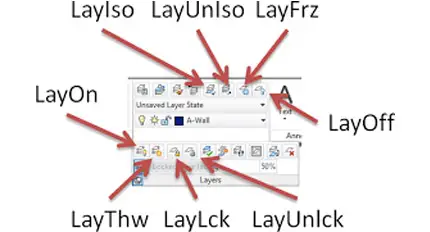
- Layer tools: Current, Previous, Walk, Match
- To New Layer, Isolate, Off, Freeze
- Lock, Fading, Merge, Delete
- Property Filters, Group Filters, Invert
- Layer States Manager
- Layer Settings
- Hiding and isolating objects
- Manage Overkill
- Express Modify Flatten Objects
- Express Superhatch
- Express Breakline
- Express auto number
- Download Ground Floor
09 - CAD Standards
- CAD Standards Concepts
- Configuring Standards
- Checking Standards
- Layer Translator
10 - System Setup
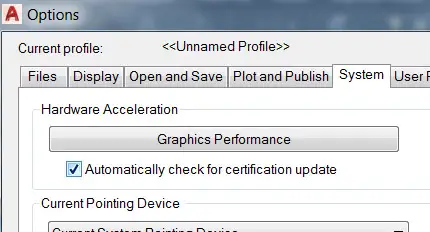
- Options Dialog Box
- System Variables
- Dynamic Input Settings
- Drawing Utilities
- Managing Plotters
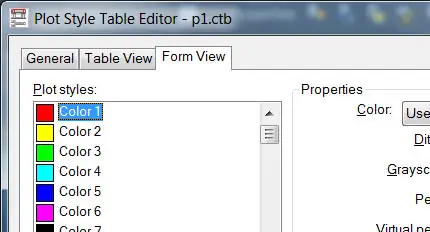
- Plot Styles
11 - Managing Plotting
- Using a plotter
- Adding a plotter wizard.
- Creating and manipulating pen assignments.
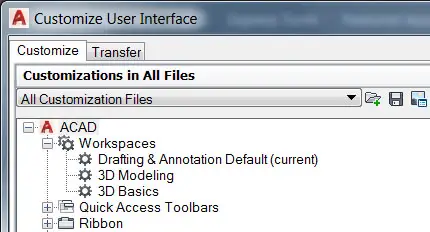
12 - Customizing AutoCAD
- Customizing the Panels
- Customizing the Ribbons
- Customizing the Quick access toolbar
- Keyboard shortcut
- Express Command Aliases
- Express System Variables
13 - CAD Automation & Custom Routines
- Custom Commands and Macros
- Running Scripts
- Action Recorder
- Editing Action Macros
- Loading Custom Routines